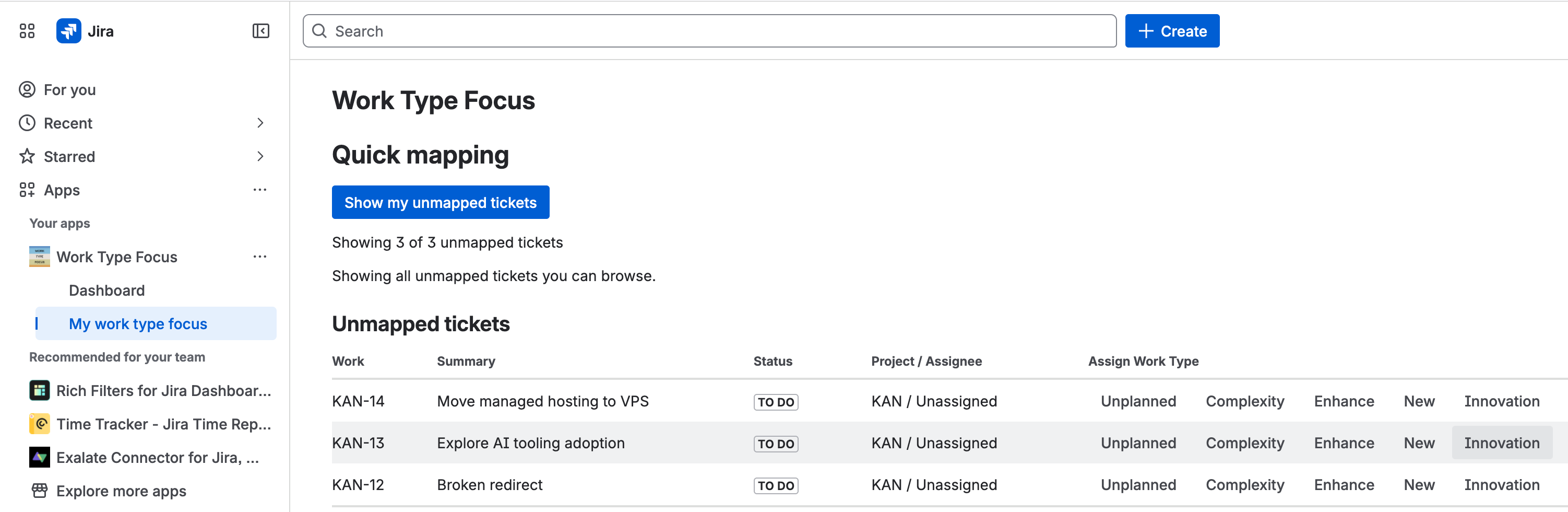
Clean up unmapped work fast
Review unmapped issues, assign the right Work Type, and switch between My Work and all unmapped tickets. Why it matters: less reporting cleanup before planning.
Try it free on Atlassian Marketplace. Runs on Atlassian. Partner supported. Admin install required.
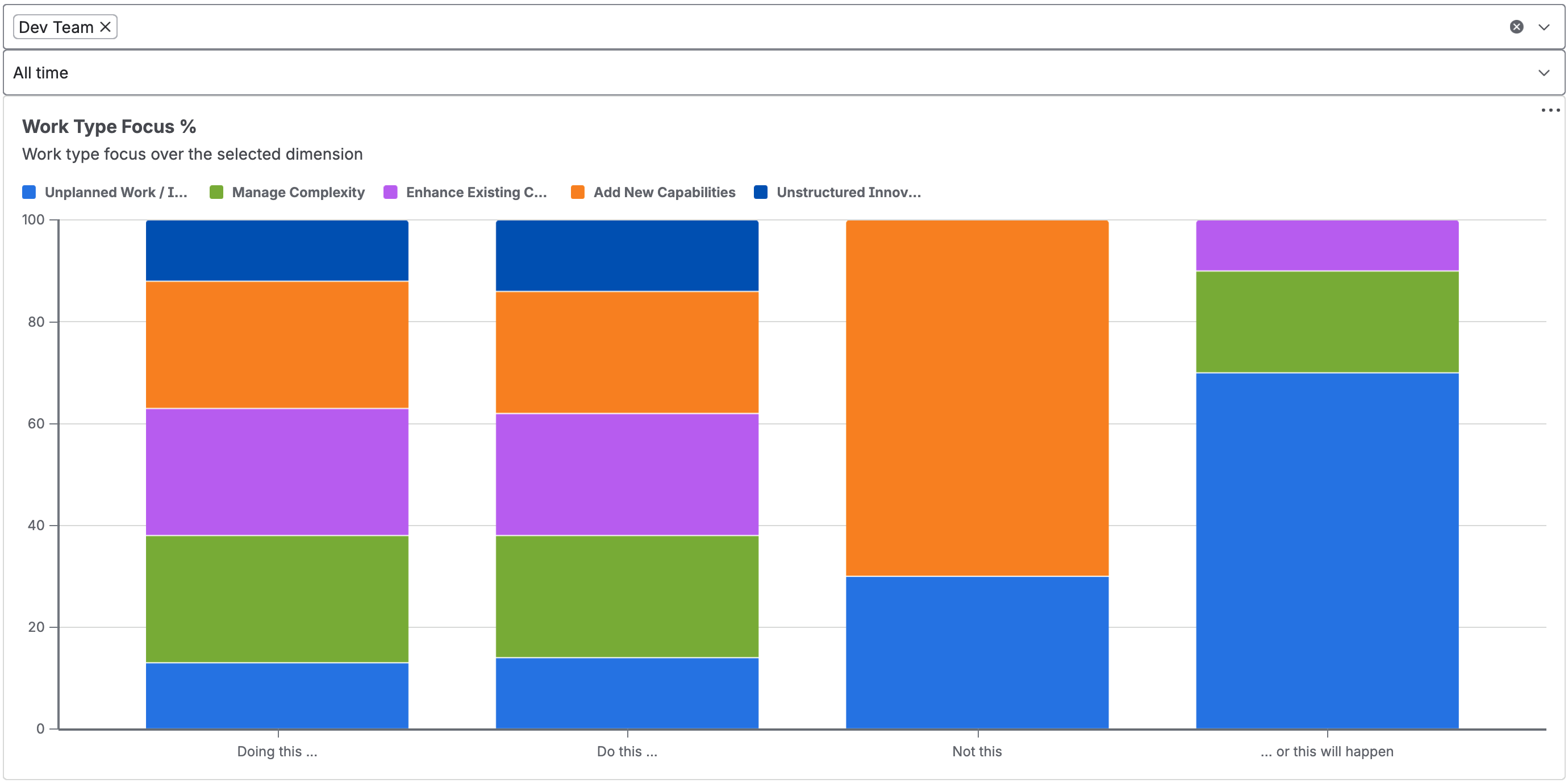
Give planning, retro, and leadership conversations a shared view of what the team actually worked on.
Group Jira issues by work type instead of relying on anecdotes.
Leaders see the real work mix.Make unplanned work visible before it quietly consumes the plan.
Teams protect planned work.Compare teams, sprints, and time ranges in one product view.
Planning improves over time.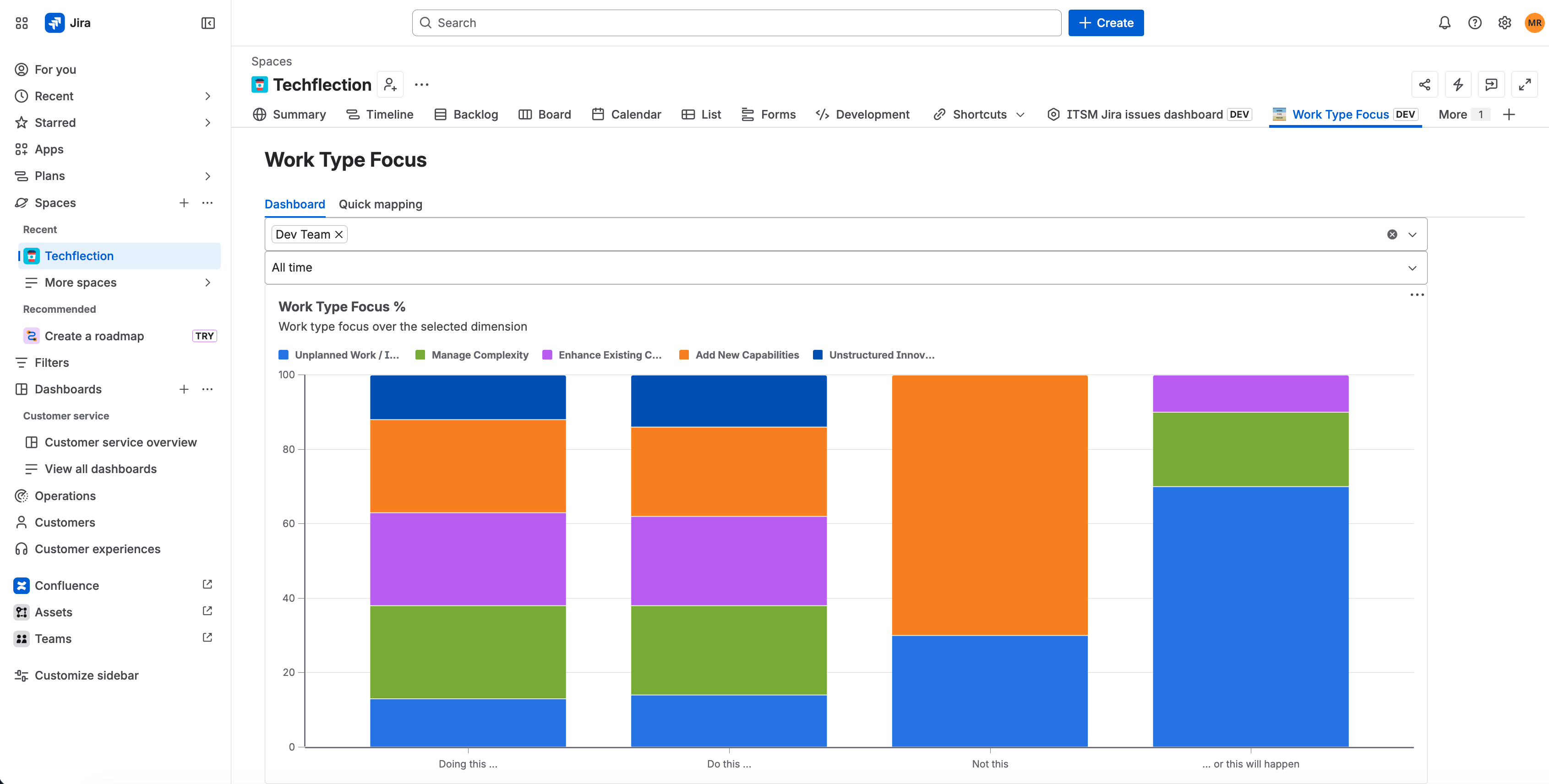
Teams can map missing work types in bulk or update a single issue from the Jira side panel.
Review unmapped issues, assign the right Work Type, and switch between My Work and all unmapped tickets. Why it matters: less reporting cleanup before planning.
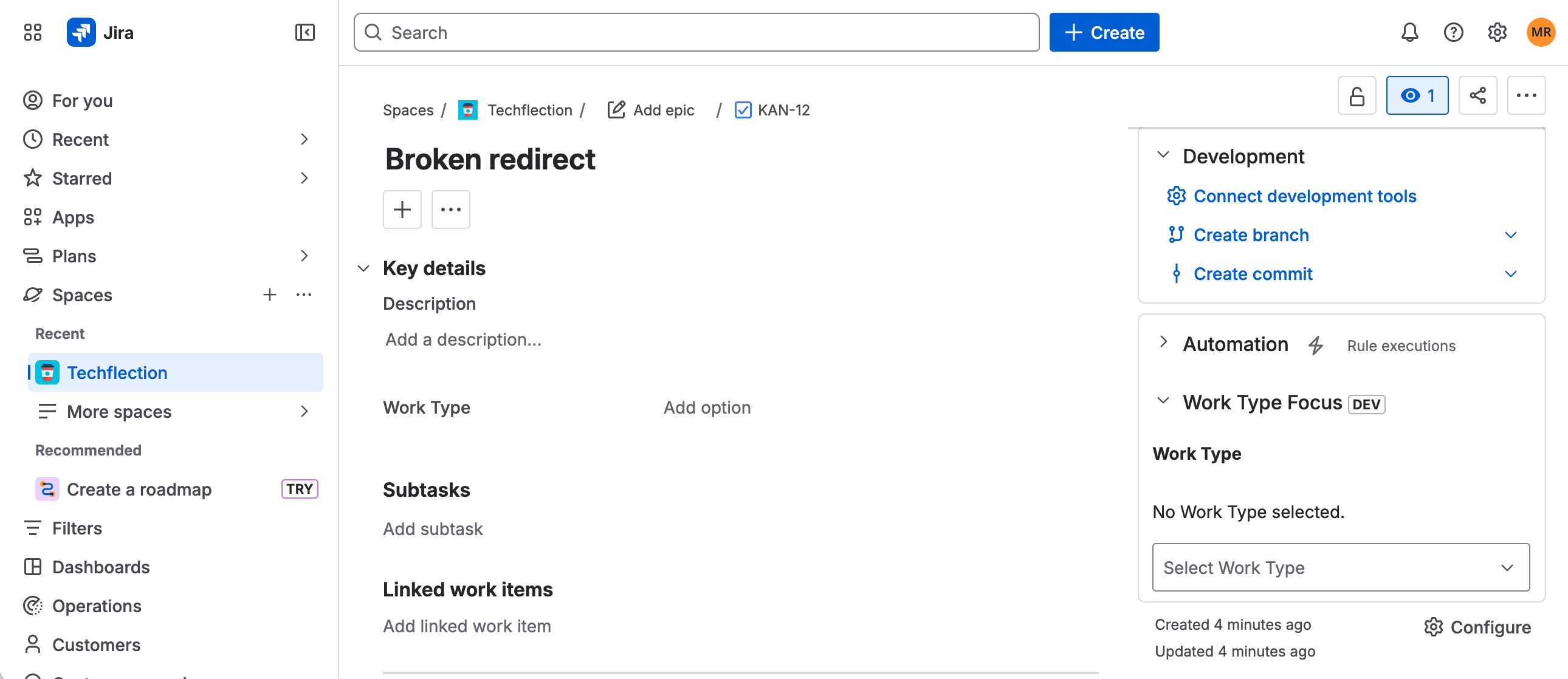
View or change Work Type directly from the Jira issue side panel. Why it matters: classification happens in the work context.
Work Type Focus keeps the language practical: what created value, what reduced risk, what interrupted the plan, and what needs a decision.
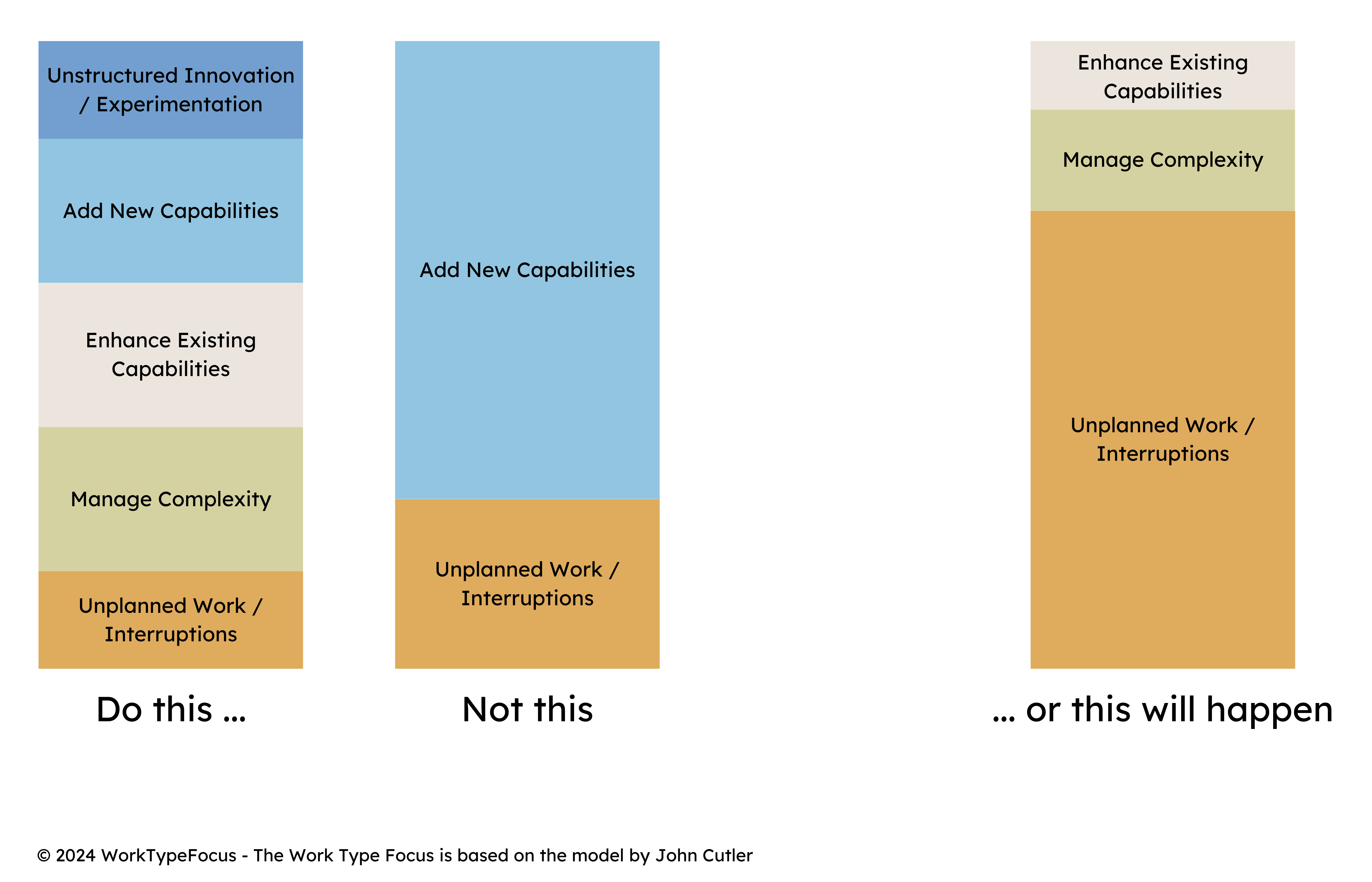
Small signals are cheaper than late surprises. When complexity and interruptions are visible early, product and engineering can decide what to protect, simplify, or defer.
Make complexity visible while it is still a management choice, not after it becomes a customer, reliability, or roadmap problem.
Code generation makes it easier to ship more change. Humans still need to decide which complexity is worth carrying, which interruptions are burning the plan, and where attention should go next.
Use Work Type Focus to keep generated output connected to portfolio choices, risk reduction, and sustainable delivery health.
Work Type Focus is installed from Atlassian Marketplace and fits into existing Jira Cloud workflows.
Install the app as a Jira admin, then open Work Type Focus from the project board tab or side menu. The app creates or adopts the Work Type field automatically.
The app uses permissions for app storage, Jira configuration, and Jira project configuration so it can persist team selection and manage the Work Type field.
Yes. The Marketplace listing is for Jira Cloud, and the app is used inside Jira project views and issue side panels.
Work Type values live in Jira as a custom field. The app runs on Atlassian and stores app-specific settings such as team selection.
Work Type Focus is Partner Supported by Techflection B.V. through the Atlassian Marketplace listing.
You go to Atlassian Marketplace, choose Try it free, and Jira asks an admin to approve the app for the site.
Start with an admin install from Atlassian Marketplace. Work Type Focus creates or adopts the Work Type field, then teams can use the dashboard, quick mapping, and issue side panel.
Runs on Atlassian. Partner Supported. Paid via Atlassian. Admin install required.